
 wpXpart Agency
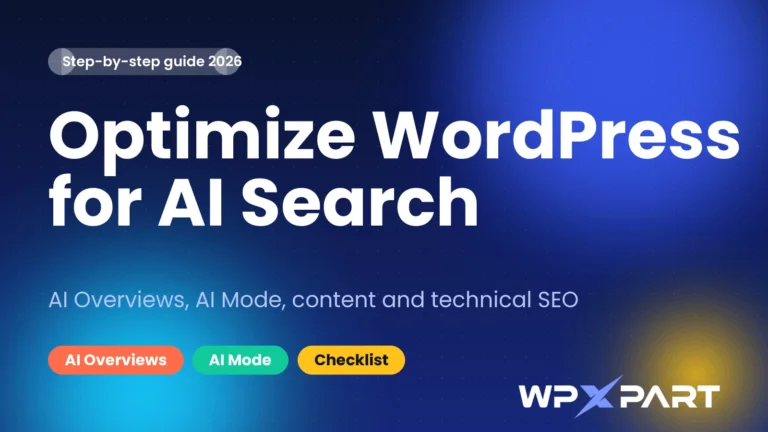
More people now get answers from AI summaries and chat assistants before they ever click a link, so learning how to optimize WordPress for AI search has become part of every serious SEO plan. The good news is that you do not need a new set of tricks. This guide explains how AI search works, what Google actually says about appearing in AI Overviews and AI Mode, and the exact steps to make your WordPress website easy to find, understand and trust.
You will get an 11-step process, a plugin table, copy-and-paste prompts and a checklist you can use on every important page.

What is AI search?
AI search is any search experience that uses generative AI to answer a question instead of only listing ten blue links. The main types you will meet are:
- Google AI Overviews: AI-written summaries that can appear at the top of a normal Google results page, with links to sources.
- Google AI Mode: a conversational search experience for deeper, multi-part questions.
- AI assistants with web search: tools such as ChatGPT, Gemini, Claude and Perplexity that look up pages and cite them in an answer.
Google explains that AI Overviews and AI Mode may use a technique called query fan-out, which means they run several related searches across subtopics before writing an answer. That is why pages that cover a topic clearly and completely have an advantage.
What does Google say about optimizing for AI features?
It is worth reading Google’s own guide, AI features and your website. Its main points are simple:
- There are no additional requirements to appear in AI Overviews or AI Mode, and no other special optimizations are necessary.
- To be shown as a supporting link, a page must be indexed and eligible to appear in Google Search with a snippet.
- Existing SEO fundamentals still apply, such as making content easy to find through internal links.
- Traffic from AI features is included in your overall Search Console data.
So when someone sells you a secret AI ranking formula, be careful. The reliable path is better content, a healthy website and a clear brand.
Do you need an llms.txt file?
Google says you do not need new machine-readable files or AI text files to appear in its AI features. Some SEO plugins, including Yoast SEO, can generate an llms.txt file, and it may be useful for other tools, but treat it as optional and never as a substitute for good content.
How AI search changes SEO
- Answers matter more than keywords. Pages that give a clear, direct answer are easier for systems to use.
- Topics beat single phrases. Because of query fan-out, covering related subtopics helps you appear for more questions.
- Trust signals matter. Real authors, real examples, reviews and sources help both people and search systems.
- Clicks may look different. Some questions are answered without a visit, so measure leads, calls and brand searches, not only clicks.
Step-by-step: how to optimize WordPress for AI search
Step 1: Make sure your pages can be indexed and shown with a snippet
This is the first requirement. In WordPress, check that Settings, Reading, Search engine visibility is not set to discourage search engines. In Yoast SEO, make sure important pages are not set to noindex, and that you have not added nosnippet or very small max-snippet settings, because those controls can also reduce how your content appears in AI features. Submit your sitemap in Google Search Console and use the URL Inspection tool to confirm that key pages are indexed.
Step 2: Target real questions, not just keywords
List the questions your customers actually ask: in emails, calls, reviews, forums and the People also ask box on Google. Group them into topics. For example, a page about WordPress speed should answer what slows a site, how to measure speed, how to fix images and when to hire help. Covering the subtopics gives AI systems more reasons to use your page.
Step 3: Write answer-first content
Put the direct answer under the heading, in 40 to 60 words, then add details, steps and examples. This helps readers who are in a hurry and gives AI systems a clear passage to use. Avoid long introductions before the answer.

Step 4: Show real expertise, experience and sources
- Add an author box with a real name and a short, honest bio.
- Include original examples, screenshots and lessons from real projects.
- Link to trustworthy sources for facts and statistics, and never invent numbers.
- Show the date and update the article when something changes.
Step 5: Structure the page so it is easy to scan
Use one H1, logical H2 and H3 headings, short paragraphs, bullet lists and a table where a comparison helps. A table of contents and an FAQ section make long pages easier to use. Clear structure helps visitors first, and it also makes your content easier for machines to understand.

Step 6: Fix technical SEO and speed
A slow or broken site loses visitors and trust. Use a lightweight theme, page caching, compressed images and a good host, then test with PageSpeed Insights. Keep your site on HTTPS, make it work well on mobile and fix broken links. If you want help, see our WordPress speed optimization service.
Step 7: Use accurate structured data
Structured data (schema) helps search engines understand who you are and what a page is about. Plugins such as Yoast SEO add organization, article and breadcrumb data automatically. The rule is simple: the markup must match what visitors can see on the page. Do not add questions, ratings or reviews that are not really there.
Step 8: Build internal links and topical depth
Link related articles and service pages to each other with clear anchor text. A cluster of connected pages on one topic shows depth and makes it easy for search systems to find your best content. For example, this guide connects to our WordPress SEO services and our guide on how to design Elementor pages with AI.
Step 9: Keep your content accurate and up to date
Review important pages regularly. Update statistics, screenshots and steps when they change, and show the updated date. Fresh, correct information helps users and search systems alike. Do not change the date without making a real update.
Step 10: Build brand signals outside your website
AI systems and search engines look at more than your own pages. Keep your business details consistent, claim your Google Business Profile, collect honest reviews on platforms such as Trustpilot, and make sure your profiles link back to your website. Real mentions and reviews build trust over time.
Step 11: Measure and improve
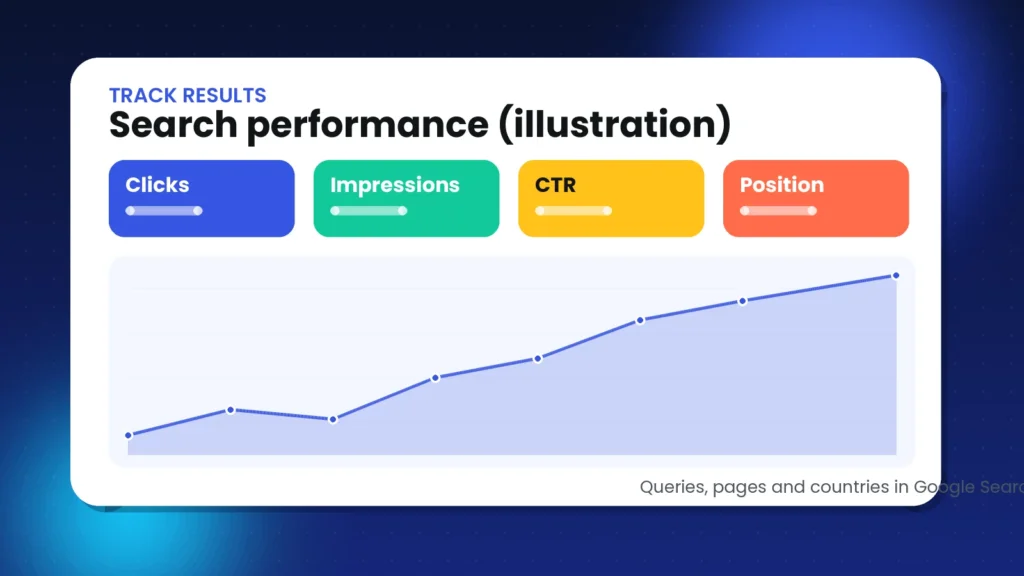
Connect Google Search Console, for example with the Site Kit plugin, and watch queries, pages, clicks and impressions. Look for questions where you get impressions but few clicks and improve those pages. Also track calls, form submissions and brand searches, because AI answers can influence decisions without a click.
WordPress plugins and tools that help
You do not need many plugins. A small, well-chosen set is faster and easier to maintain.
| Tool | What it helps with | Note |
|---|---|---|
| Yoast SEO | Titles, descriptions, sitemaps, schema and optional llms.txt | Configure it once and review important pages regularly |
| Google Site Kit | Search Console and analytics inside WordPress | Connect your Google account to see search data |
| A caching plugin | Faster page loads | Options include LiteSpeed Cache on supported hosts |
| Image optimization | Smaller images and modern formats | Compress before and after upload, and add alt text |
| PageSpeed Insights | Free speed and Core Web Vitals testing | Test mobile first |
Copy-and-paste prompts to improve your pages
AI assistants can speed up the work, as long as you review everything. Replace the text in brackets with your own details.
Prompt 1: Find the questions to answer
I run a [type of business]. List 20 questions that customers ask before they buy [service]. Group them by topic and mark which ones need a short answer and which need a full guide.Prompt 2: Rewrite an answer-first block
Rewrite this section so the first paragraph directly answers the heading in 40 to 60 words. Then add three short bullet points with details. Keep my facts and do not add new claims: [paste section]Prompt 3: Audit a page
Review this page for clarity and helpfulness. List: missing questions a customer would ask, vague statements that need proof, headings that do not match the content, and ideas for a comparison table or FAQ. Page text: [paste text]Prompt 4: Build an FAQ from facts
Using only these facts, write six FAQs with answers of 40 to 60 words each: [facts]. If a fact is missing, write a note instead of guessing.Example: a before-and-after answer-first rewrite
Here is how a small change can make a page clearer for readers and for AI systems. Imagine a service page with this heading: How long does a WordPress migration take?
Before: the section starts with a long story about how important websites are, mentions that every project is different, and only reaches the answer in the fourth paragraph.
After: the section starts with one direct sentence, such as: Most small WordPress migrations take a few hours to two days, depending on site size, hosting access and testing. It then lists what affects the timeline, gives a simple example and links to the service page. The facts are the same, but the answer is easy to find, easy to quote and easy to trust.
AI search tips for local and service businesses
If you sell services to a specific area or niche, a few extra steps help your WordPress website stand out:
- Create one page per service. Describe who it is for, what is included, how the process works and what customers can expect.
- Add proof you can verify. Use real case studies, project examples and reviews from platforms such as Trustpilot and Google.
- Keep your business details consistent. Use the same name, address and contact details on your website, Google Business Profile and social profiles.
- Answer local and niche questions. Write about the problems customers in your market actually face.
Common mistakes to avoid
- Blocking snippets by accident. Check your Yoast and robots settings.
- Publishing unedited AI text. Thin, generic content does not earn trust.
- Chasing tricks. There is no special AI markup that guarantees a place in answers.
- Burying the answer. Put it under the heading, not after a long introduction.
- Faking authority. Invented statistics, awards or reviews damage trust.
- Ignoring speed and mobile. Technical problems undo good content.
- Adding schema that does not match the page. Keep markup honest.
- Forgetting to measure. Without data you cannot tell what works.
How we optimize WordPress for AI search at wpXpart
At wpXpart we treat AI search as a natural extension of good SEO. We configure Yoast SEO, check that important pages are indexed, structure content with clear headings and FAQs, add helpful internal links, speed up the site and connect Search Console so results can be tracked. If you would like a team to handle this for you, explore our WordPress SEO services or hire a WordPress expert.
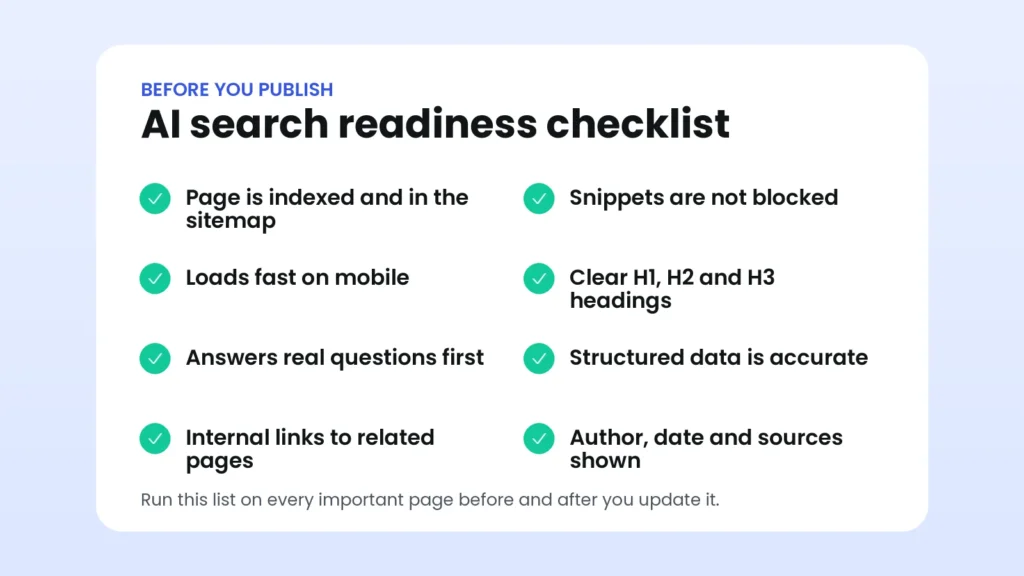
AI search optimization checklist
Run through this list before you publish or refresh an important page.
Frequently asked questions
Do I need special markup or an llms.txt file to appear in Google AI Overviews?
No. Google says there are no additional requirements and no special files or markup needed. Pages must be indexed and eligible to show a snippet, and normal SEO best practices apply.
Does structured data guarantee that my page appears in AI answers?
No. Structured data helps search engines understand your page, but it does not guarantee any feature. Use it accurately and focus on helpful content.
Is SEO dead because of AI search?
No. AI features use the same web index and rely on the same quality signals. The skills of SEO, such as research, clear writing, technical health and trust, matter more than before.
How can I stop my content appearing in AI features?
Google provides preview controls such as nosnippet and max-snippet, but they can also reduce how your pages appear in normal results. Read Google’s documentation and decide carefully before using them.
How long does it take to see results?
It varies. New and updated pages need to be crawled and indexed first, and trust builds over time. Track progress in Search Console over weeks and months, not days.
Should I write shorter content for AI?
Write as long as the topic needs. Start each section with a direct answer, then add detail, so both quick readers and in-depth readers are served.
Can I use AI to write my WordPress content?
Yes, as an assistant. Google focuses on whether content is helpful and original, so add your own expertise, check every fact and edit for your audience.
Which pages should I optimize first?
Start with your service pages, your most visited articles and any page that already gets impressions in Search Console but few clicks.
Conclusion
To optimize WordPress for AI search, focus on the basics that Google itself recommends: pages that can be indexed, clear answers to real questions, visible expertise, a fast and structured website and honest measurement. There is no shortcut, but there is a clear process, and the sites that follow it consistently are the ones that earn trust from people and from search systems.
Need help? Start a project with wpXpart and we will help your WordPress website get found.

The wpXpart team designs, builds, speeds up and supports WordPress websites, and shares practical guides along the way.
Need help with your WordPress site?
Tell us about your project and get a clear, written proposal.
There’s more to read
Stay tuned with our latest updates
Subscribe for practical WordPress tips and news.